
Campaigns
A campaign groups short links around a goal so you can see them together. Use one to track a launch, measure a bio link, or compare channels. This walkthrough uses Instagram vs TikTok as the example. The same steps work for any links you attach.
Paid plans
instagram and tiktok, both pointing at the same destination.1. Choose a template
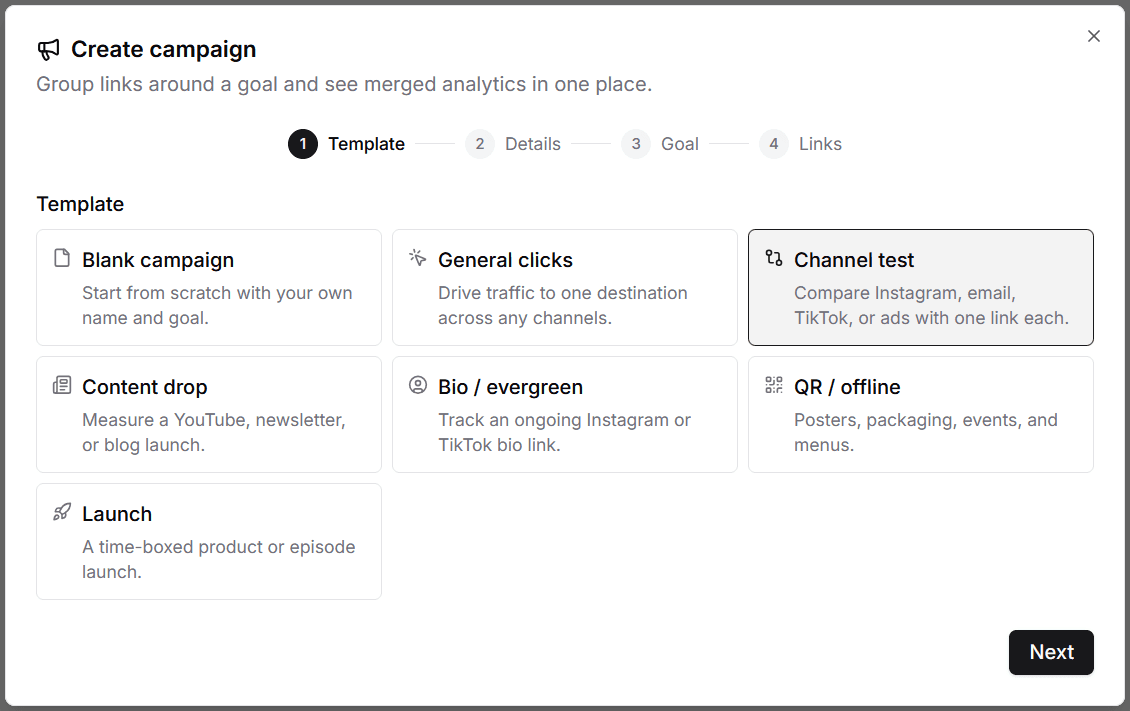
Open Campaigns in the dashboard and click Create campaign. Templates prefill a name, goal, and dates. Pick the one that matches what you want to measure:
- Blank campaign: start from scratch with your own name and goal.
- General clicks: drive traffic toward a click target across any channels.
- Channel test: compare links against each other, such as Instagram vs TikTok.
- Content drop: measure a YouTube, newsletter, or blog launch.
- Bio / evergreen: track an ongoing bio link.
- QR / offline: posters, packaging, events, and menus.
- Launch: a time-boxed product or episode launch.
For this example, choose Channel test. That sets the goal to Compare so you can see which channel brought more traffic.
2. Name the campaign
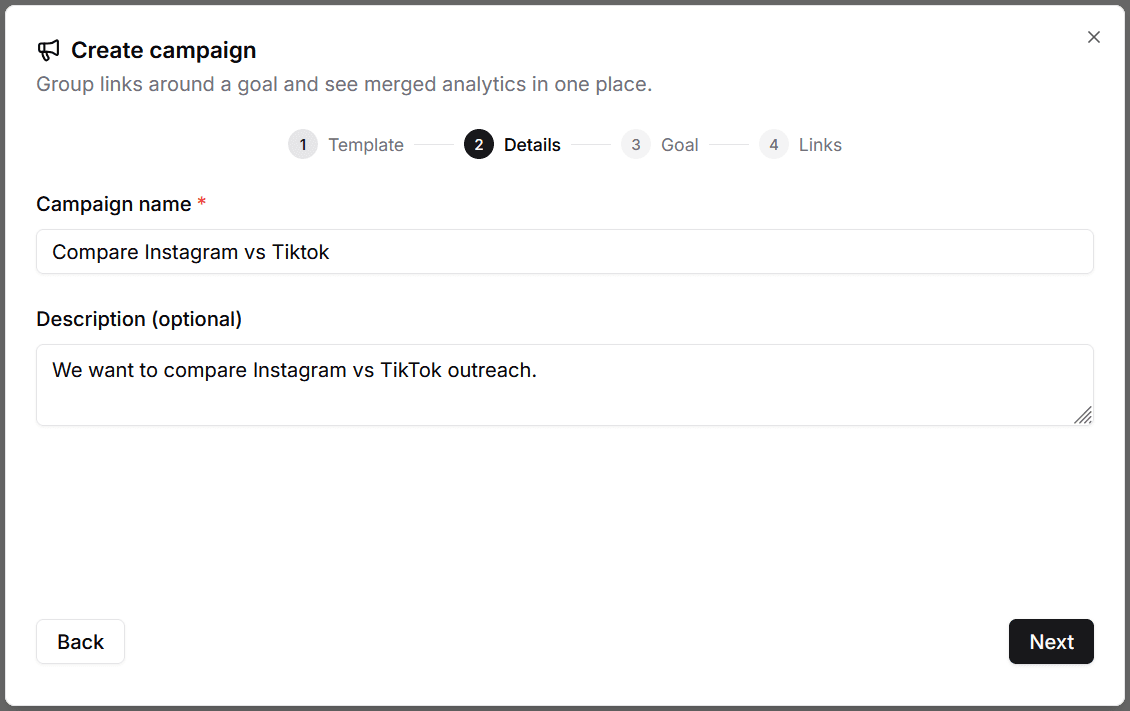
Give the campaign a clear name. The description is optional. You can keep the text the template filled in or write your own.
This example uses Compare Instagram vs Tiktok.
3. Set the goal
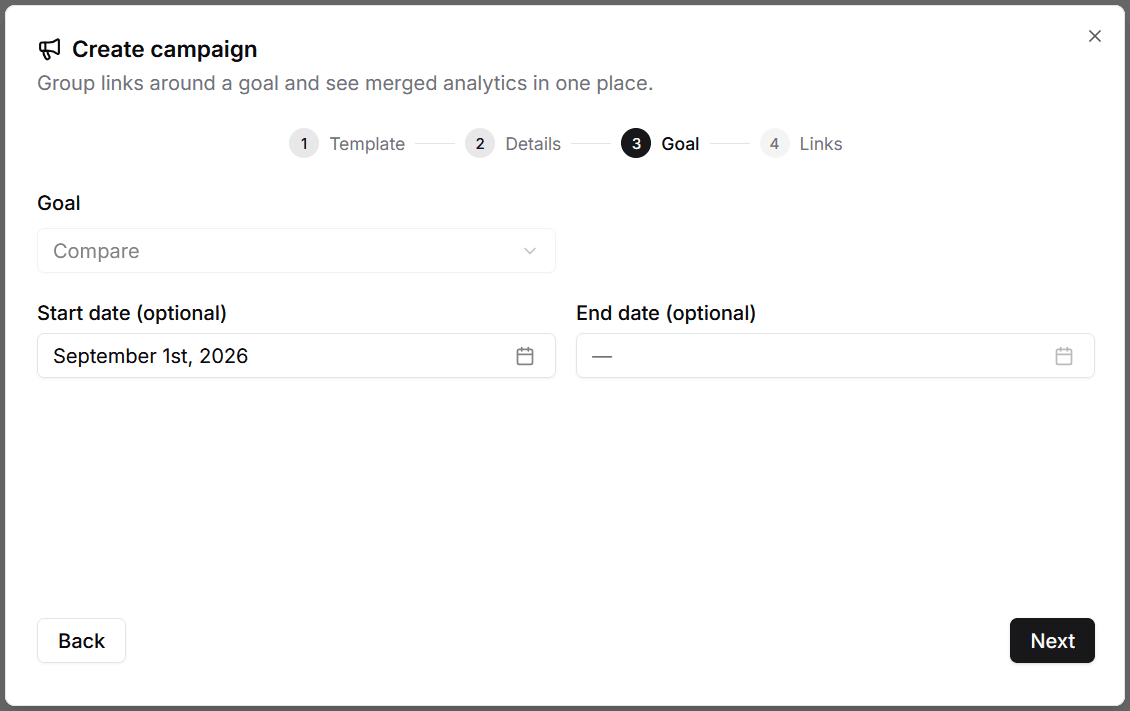
Confirm the goal and optional dates. Most templates lock the goal type. Viso.li supports three:
- Total clicks and Unique visitors: set a target. The campaign page shows progress toward it.
- Compare: no click target. Viso.li shows each link's share of traffic instead.
Start and end dates are optional unless the template requires them, such as Launch.
This example keeps Compare. There is no click target for a channel test.
4. Attach links
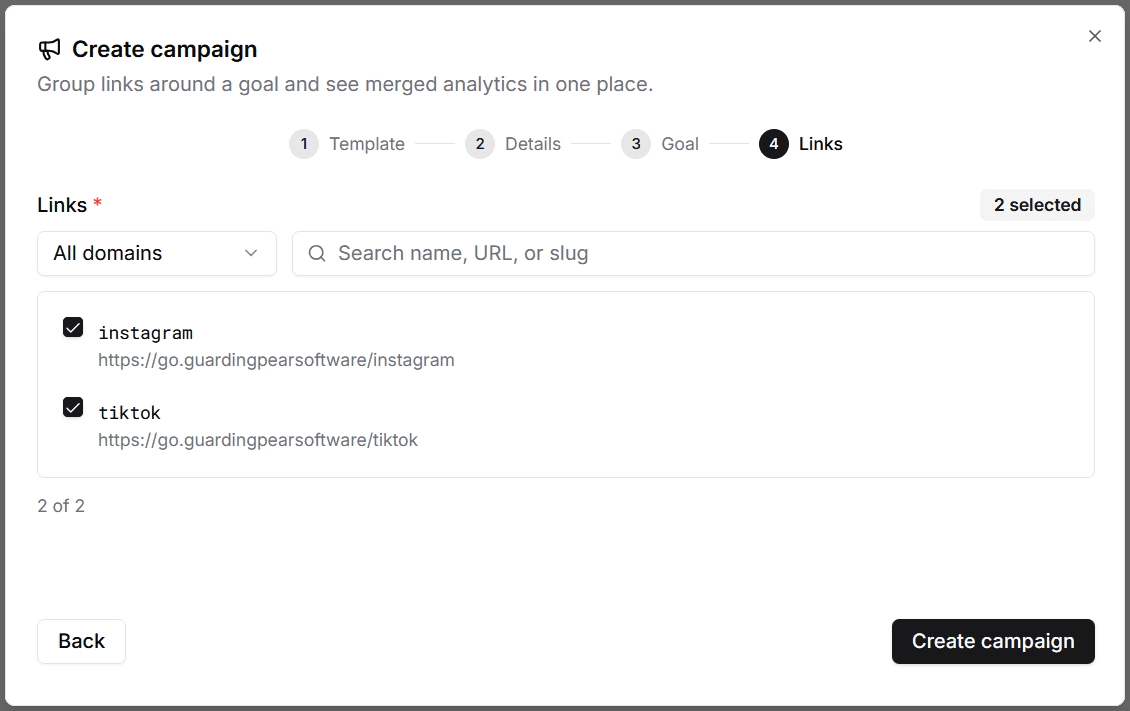
Search or filter by domain, then select the links that belong to this campaign. You need at least one. For a fair comparison, add one link per channel.
This example attaches instagram and tiktok.
Read the results
After you create the campaign, open it. Share each attached link on its channel. The campaign page merges analytics for every link and shows progress against the goal.
For this example, share instagram on Instagram and tiktok on TikTok. Compare campaigns show a share bar and per-link clicks so you can see which channel brought more traffic.