
Version History
Stay up to date with the latest changes and improvements to viso.li.
August 2026
v1.9 - Campaigns
Group links into a campaign, set a click or unique-visitor goal, and see merged analytics across every attached link.
Campaigns with goals
Paid plans can now create campaigns from the dashboard. Pick a template such as general clicks, a channel test, a content drop, a bio link, QR / offline, or a launch. Attach one or more existing short links, then set a goal for total clicks or unique visitors.
Each campaign has its own page at
/dashboard/campaignswith the same analytics as a single link: visits, visitors, referrers, geography, and devices — rolled up across every attached link. A goal card shows how close you are to the target. The dashboard header now includes direct links to Links, Campaigns, and Domains, plus a create-link button.June 2026
v1.8 - Custom Domains
Create branded short links by adding custom domains and pairing them with custom slugs.
Bring Your Own Domain
You can now add custom domains to Viso.li and use them when creating or managing shortened links. Pair an active custom domain with a custom slug to create memorable branded URLs for campaigns, launches, and shared resources. Start from the dashboard domain selector, or open Settings -> Domain to manage domains from your account settings.
Verification is powered by Vercel. Depending on where the domain is managed, Viso.li will show either a CNAME record for external DNS providers or a TXT record for domains that are already on Vercel.
April 2026
v1.7 - Dashboard Search
Quickly find links by searching for a URL or alias directly from the dashboard.
Search & Filter Links
The dashboard now includes a search bar alongside the domain selector. Type a URL or alias to instantly filter your link list.
Selecting a domain now also narrows the displayed links to that domain only, making it easier to manage links across multiple domains.
March 2026
v1.6 - Country & Device Filters
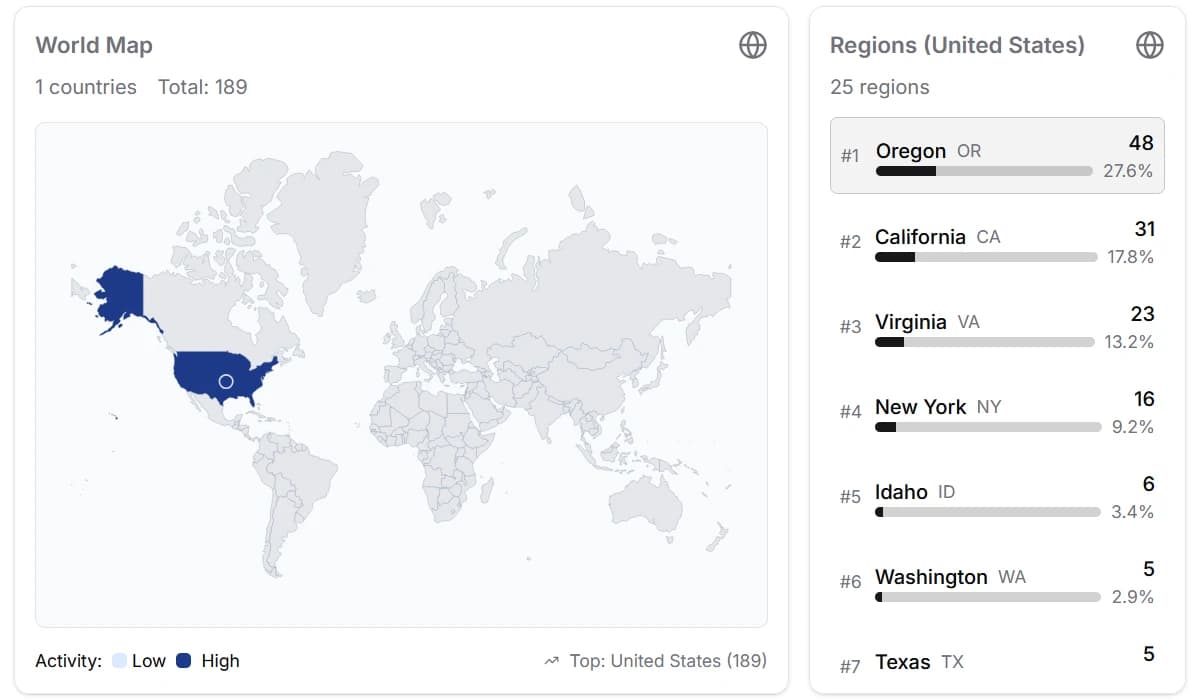
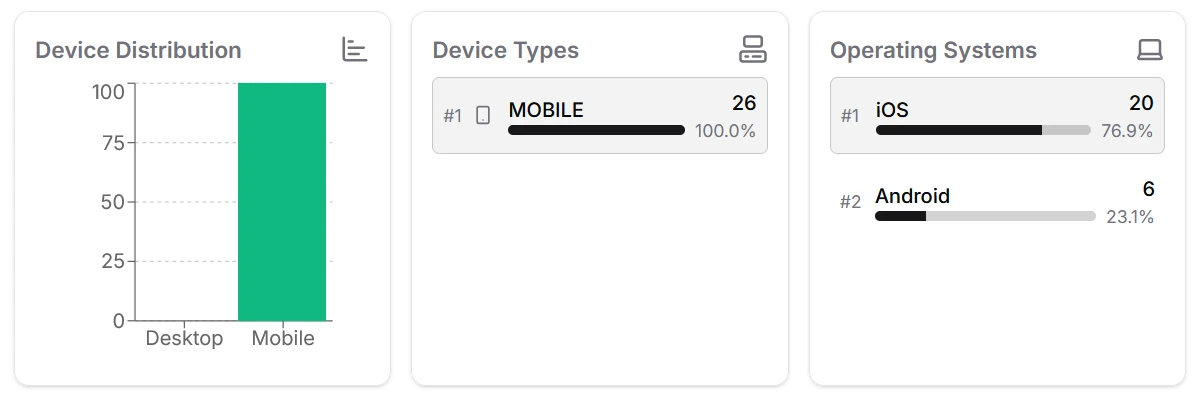
Filter analytics by country via the world map or country list, and by device type using the device filter.
Filter by Country
Click on any country in the world map or select one from the country list to filter your analytics to that specific region. This gives you a focused view of traffic and engagement from individual countries.

Filter by Device Type
Use the device type filter to narrow down analytics by device. This helps you understand how your audience accesses your links across different devices.

January 2026
v1.5 - OS Analytics
Replaced Device Models with Operating Systems in analytics for better overview.
Operating System Analytics
We have replaced the Device Model analytics with Operating System analytics in the dashboard. Many clients do not share their exact device model, making the data less useful. Tracking Operating Systems provides a much better and more reliable overview of your audience's devices.
January 2026
v1.4 - Embed Key Prefix
For clarity, the embedding public key prefix has changed to "pk_embed_".
November 2025
v1.3 - QR Code Download
QR codes can now be downloaded in various sizes (64x64, 128x128, 256x256, 512x512, 1024x1024) instead of a fixed 256x256 size as before.
Multiple Download Sizes
From the QR code dialog, you can now select from a range of sizes to download your QR code as PNG files, making it suitable for various use cases from small web icons to large print materials.
The new download options are presented as buttons in the dialog:
October 2025
v1.2 - Embeds
Track visitors on your website, by embedding a simple script on your page. You can gather analytics about your audience, even if they don't click the shortened link.
Embeddable Script
To use this feature, go to your dashboard and select a link you want to associate with your webpage. From the actions menu, choose "Embed" to get the script. Placing this script on your site will start collecting visitor analytics, connecting them to your chosen link slug.
The to be pasted into your website's HTML will look like this:
HTML1<script async src="https://viso.li/embed/ping.v1.js" data-slug="YOUR_SLUG" data-public-key="YOUR_PUBLIC_KEY"></script>October 2025
v1.1 - API
The API allows you to create, manage, and analyze links programmatically.
Create a new link
To create a new link, you need to send a POST request to the
/api/link/createendpoint with the URL you want to shorten.1curl -X POST https://viso.li/api/link/create \2-H "Authorization: Bearer YOUR_API_KEY" \3-H "Content-Type: application/json" \4-d '{"url": "https://example.com"}'Get link statistics
To get the statistics for a link, you need to send a GET request to the
/api/link/:slug/statsendpoint.1curl https://viso.li/api/link/SLUG/stats \2-H "Authorization: Bearer YOUR_API_KEY"September 2025
v1.0 - Initial Release
The initial release of viso.li, a link shortening service that provides detailed analytics and a user-friendly dashboard.