How to Track Link Clicks Across Social Media, Email, and QR Codes

Learn how to track link clicks across social media, email campaigns, and QR codes to understand your audience and improve your marketing results.

By Viso.li Team
Team
|Last updated: January 11, 2025|6 minutes read
Use CaseLink TrackingAnalyticsMarketing
How to Track Link Clicks Across Social Media, Email, and QR Codes
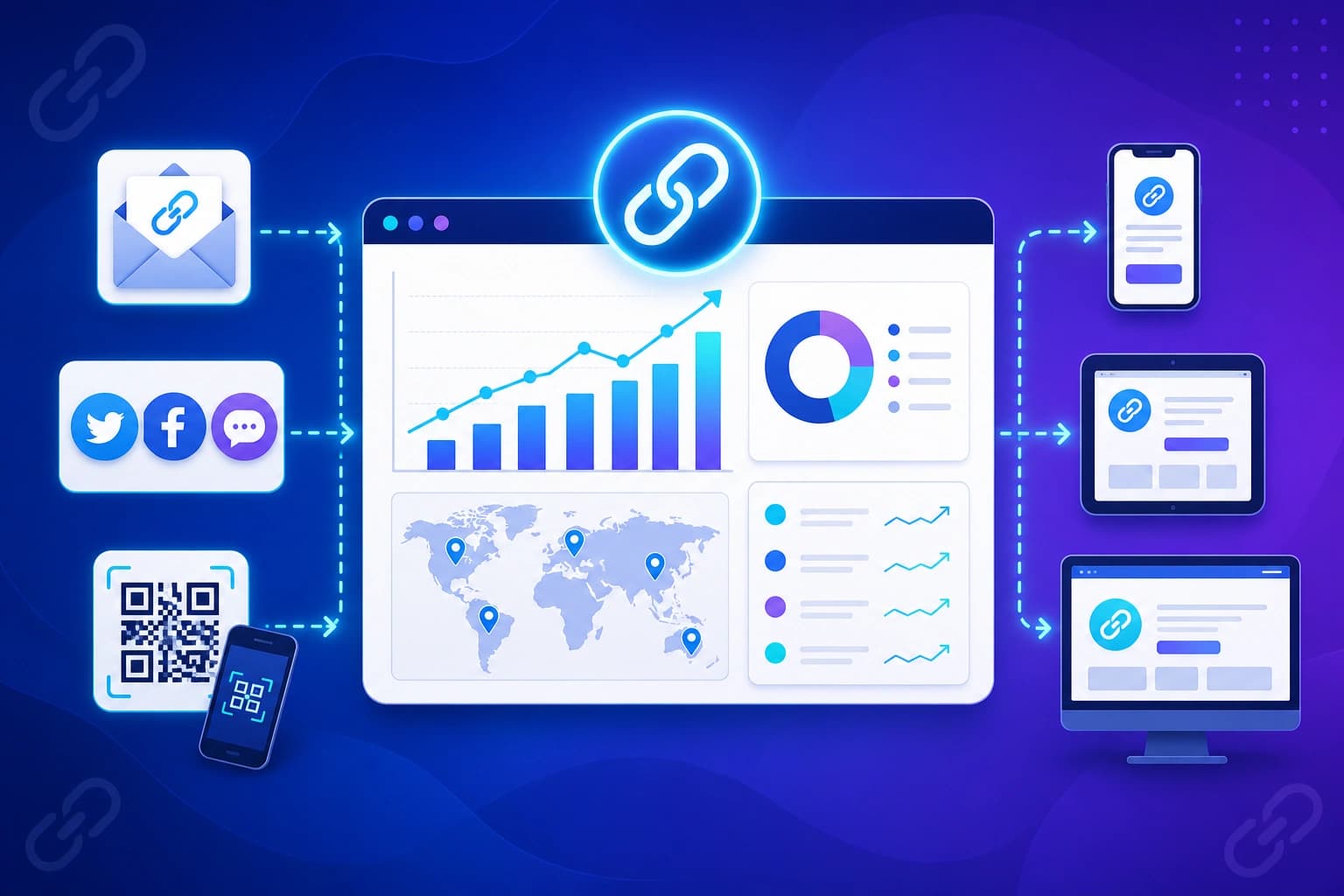
When you share a link online, you want to know what happens next. Do people click it? Do they ignore it? Link click tracking gives you the answers. For marketers and business owners, tracking links is the best way to see if your campaigns are actually working. Without tracking, you are just guessing. With tracking, you can see which posts, emails, and ads bring the most traffic to your website. This helps you spend your time and money on the things that get real results. A short link does a lot more than just look clean. Every time someone clicks a shortened link, the tracking tool records helpful details about that visit. You can see the total number of clicks, where the person came from, what country they live in, and what kind of device they used. All this data is collected automatically in the background. You do not need to be a tech expert to understand it.

Total clicks vs unique visitors

When looking at your data, it is important to know the difference between total clicks and unique visitors. Total clicks show you every single time the link was clicked. If one person clicks your link five times, that counts as five total clicks. Unique visitors, on the other hand, tell you how many individual people clicked the link. If one person clicks five times, that only counts as one unique visitor. Both numbers are useful. High total clicks mean people are coming back, while high unique visitors mean you are reaching a wide audience.

Tracking clicks by referrer

Referrer tracking tells you exactly where your traffic is coming from. If you share a link on Facebook, Twitter, and your email newsletter, referrer data shows you which platform got the most clicks. This is a game changer for your marketing strategy. If you see that your email newsletter gets ten times more clicks than your social media posts, you know that email is your strongest channel. You can then focus your efforts where they matter most.

Tracking clicks by country

Knowing where your audience lives can help you tailor your message. Link tracking tools record the country and sometimes the city of the people who click your links. If you run a local business, you want to make sure your clicks are coming from your local area. If you run an online store, seeing clicks from new countries might inspire you to offer international shipping or run targeted ads in those regions.

Tracking clicks by device

Are your customers using mobile phones, tablets, or desktop computers? Device tracking gives you the answer. If most of your clicks come from mobile phones, you need to make sure your website looks great on small screens. If your website is hard to read on a phone, those visitors will leave immediately. Device data helps you create a better experience for your audience.

Tracking QR code scans

QR codes are perfect for bridging the gap between the physical world and the digital world. You can put a QR code on a flyer, a business card, or a product package. When you create a QR code using a link shortener, every scan counts as a click. This means you can track exactly how many people scanned your code and where they were when they did it. It turns offline marketing into measurable data. Email marketing is powerful, but only if you know what your subscribers are clicking. By using short links in your emails, you can see which buttons, images, or text links get the most attention. You can even use different links for different parts of the email to see what works best. This data helps you write better emails and get higher click rates in the future. Social media platforms give you basic analytics, but they do not always tell the whole story. When you use your own trackable short links in your posts and bio, you own the data. You can compare your Facebook clicks directly against your LinkedIn clicks in one simple dashboard. This makes it easy to see which social network drives the most real traffic to your website.

Exporting click data for reports

Sometimes you need to share your success with your team or your clients. A good link tracking tool lets you export your click data into a simple file, like a CSV. You can open this file in a spreadsheet program to make charts, build reports, or combine the data with your sales numbers. Exporting your data keeps everyone on the same page. Getting started with link tracking is incredibly easy with Viso.li. Our platform is built for creators, marketers, and small businesses who want powerful analytics without the confusing setup. Just paste your long URL into our dashboard, and we will give you a clean, trackable short link. You can also generate QR codes with a single click. As soon as you share your link, you can watch the clicks roll in on your analytics page. Viso.li shows you referrers, locations, and devices in a friendly, easy to read format.

Share this article

Viso.li

Track every link you share

Create branded short links, measure click performance, and understand which campaigns drive traffic—without enterprise complexity.

Frequently asked questions