What is Link Tracking? A Beginner’s Guide for Marketers

A beginner's guide to link tracking. Learn how it works, what metrics matter, and how it helps marketers and business owners make smarter decisions.

By Viso.li Team
Team
|Last updated: July 2, 2026|6 minutes read
EducationLink TrackingMarketingAnalytics
What is Link Tracking? A Beginner’s Guide for Marketers
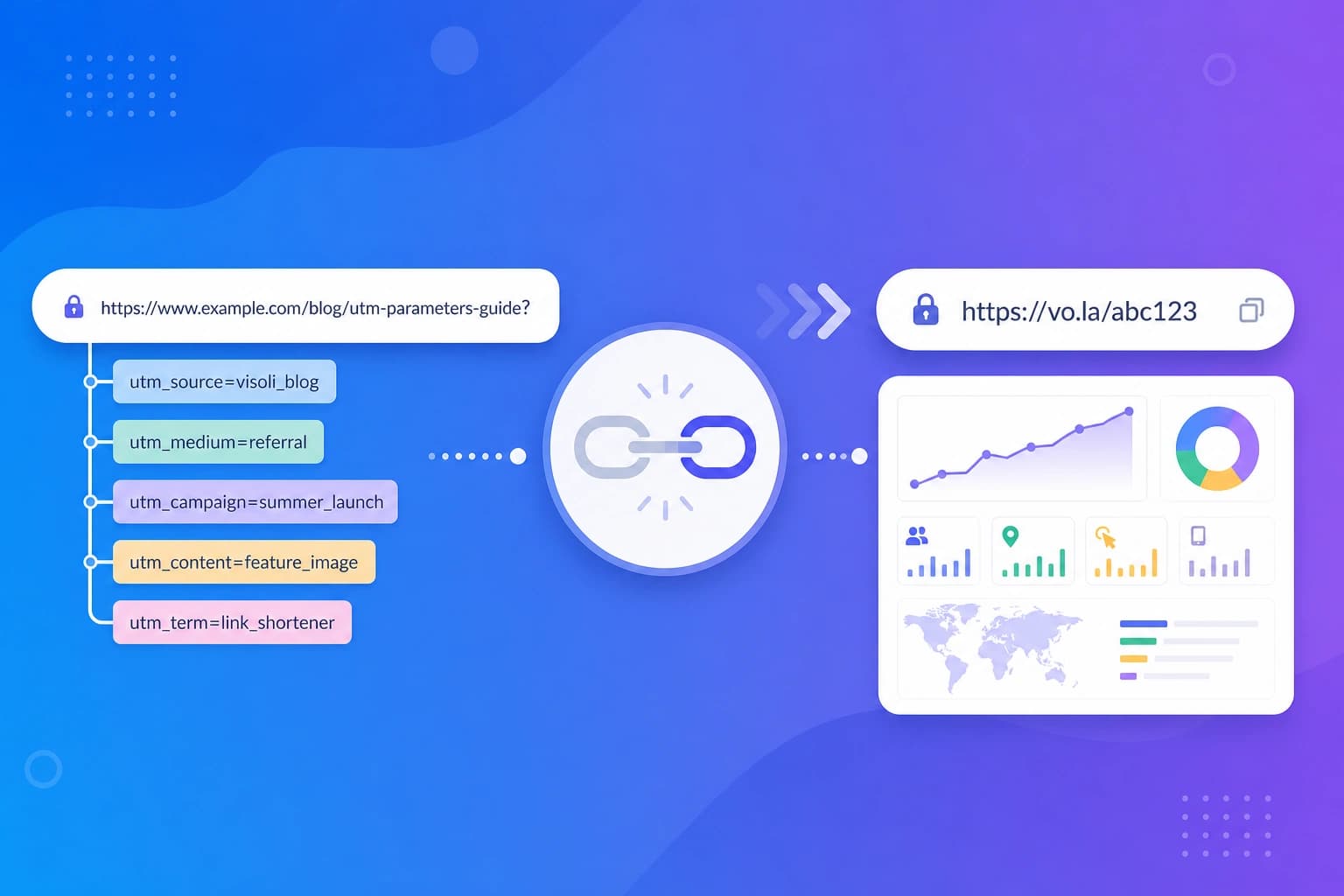
Link tracking is the process of measuring what happens after someone clicks your link. When you share a URL online or offline, a tracking tool records each click and gathers basic details about the visitor. This data helps you understand which campaigns are working and who is interacting with your content. The mechanics are very simple. Instead of sharing a direct link to your website, you use a link shortener like Viso.li to create a tracking link. You share this new link on social media, in emails, or on printed materials. When a user clicks it, the tracking service quickly logs the click data and instantly sends the person to their final destination. The visitor rarely even notices the split second it takes.

Why long URLs are hard to measure

Standard long URLs are difficult to measure because they blend into your overall website traffic. If you post the exact same long link on Facebook and in your newsletter, your website analytics will struggle to tell the two apart. On top of that, long links are visually messy and take up too much space. Tracking links solve both problems by keeping the link short and attributing traffic to the right source. When a visitor clicks your tracked link, a few things happen in the background. First, the link management tool receives the click. Second, the system checks details like the time of the click, the user location, and their device. Third, it securely stores this anonymous data in your analytics dashboard. Finally, the system immediately redirects the user to your original long URL. The entire process takes just milliseconds. Understanding your link data is the key to improving your marketing. Here are the most common metrics you will see in your Viso.li dashboard.

Visits

A visit, or a click, is counted every time your link is opened. If the same person clicks your link five times, that counts as five visits. This metric shows the total volume of interest your link generated.

Visitors

A visitor represents a unique person or device clicking your link. If someone clicks your link five times, they are still counted as one visitor. This helps you understand the true size of your audience.

Referrers

Referrers tell you where your traffic came from. If someone clicked your link on a blog post, that blog is the referrer. This metric shows which websites or platforms are driving the most value for your business.

Countries

Location tracking shows you the countries your visitors are clicking from. This geographic data is incredibly useful for planning local campaigns, adjusting your ad spend, or translating content for international audiences.

Devices

Device tracking reveals whether your audience is using a mobile phone, tablet, or desktop computer. Knowing this helps you optimize your landing pages. For example, if most clicks come from mobile, your website needs to look great on small screens.

Operating systems

Similar to devices, operating system tracking tells you if users are on iOS, Android, Windows, or macOS. This is especially helpful if you are promoting a mobile app or software product. Without link tracking, marketers are often guessing which campaigns drive results. Link tracking provides clear evidence. You can generate a unique short link for every channel. Use one for your email newsletter, one for your Instagram bio, and one for a partner website. By comparing the clicks, you know exactly where to invest your time and budget next month. You might wonder why you need link tracking if Facebook or your email software already provides analytics. Platform analytics only show you what happens inside their ecosystem. Link tracking gives you an independent, unified view of your traffic across all platforms. You get a single dashboard in Viso.li that compares your email, social media, and offline campaigns side by side. UTM parameters are tags added to the end of a URL to tell your website analytics tool where traffic came from. They are powerful but make links extremely long and ugly. Link tracking often works alongside UTM parameters. You can add UTM tags to your long URL and then use a link shortener to create a clean, trackable short link. You get the best of both worlds: deep website analytics and an attractive link. Starting with link tracking is easier than you might think. You do not need to be a technical expert to set it up. With a tool like Viso.li, you simply paste your destination URL into the dashboard and click a button. You can then copy your new short link and share it anywhere. As people start clicking, your analytics dashboard will populate with real time data to help you make smarter business decisions.

Share this article

Viso.li

Track every link you share

Create branded short links, measure click performance, and understand which campaigns drive traffic—without enterprise complexity.

Frequently asked questions