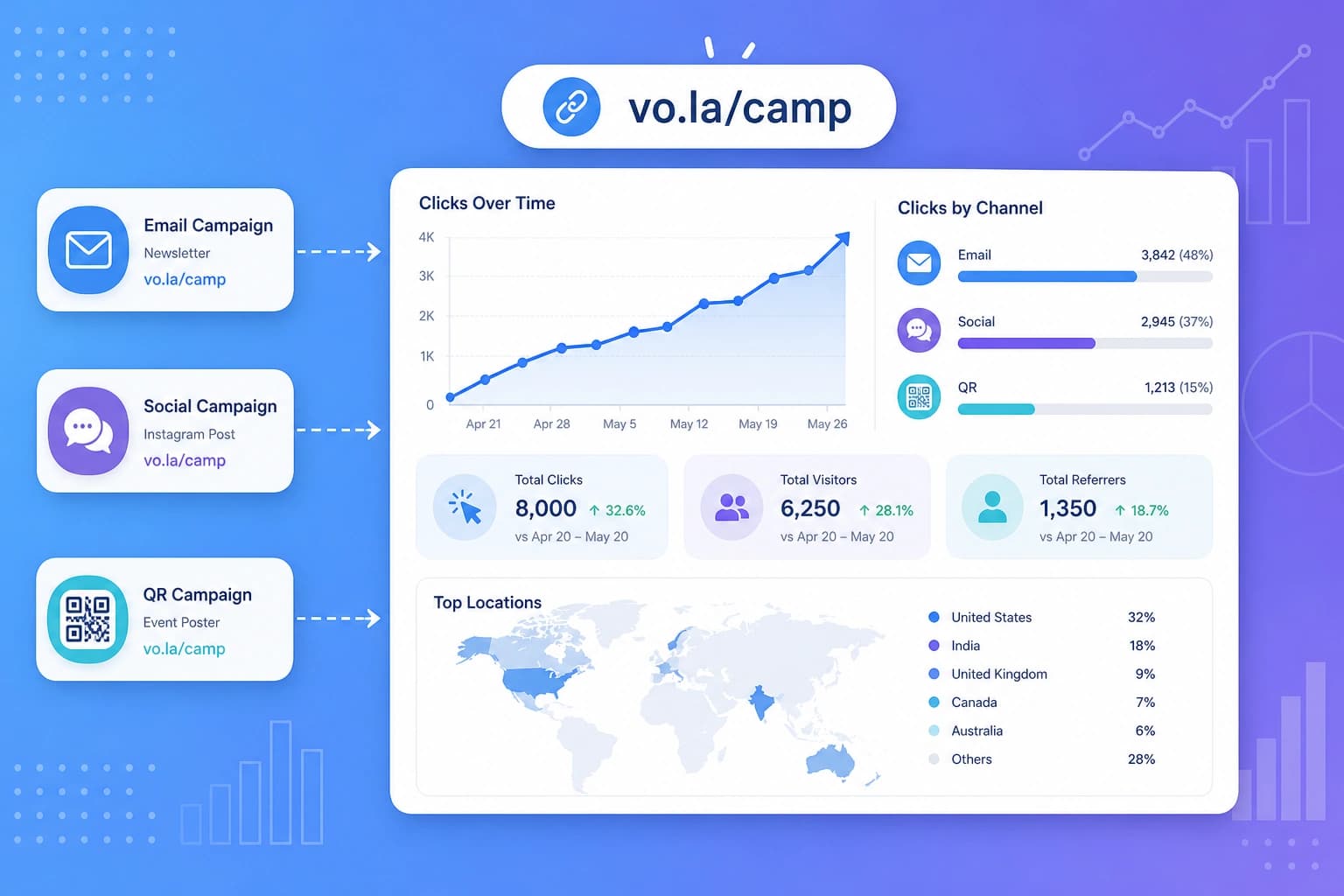
What is a campaign?
A campaign is a friendly way to group short links that belong to the same effort. Think of it like a folder with a goal on the front. You give it a name, attach the links you already made, and watch them together. Your links still work on their own. The campaign just adds a home for the whole project. You can see combined clicks, a simple goal, and a side by side view of each link. This is great when one offer lives in more than one place. A launch, a bio link, a poster, or a channel test can all sit in one campaign.Why campaigns help
Checking links one by one is fine when you only have one. It gets messy when you have three or four that all point at the same page. You jump around, add numbers in your head, and still wonder which post actually worked. A campaign puts those links on one page. You get:- One combined total. All attached links add up, so you can see the whole effort.
- A goal you can watch. Pick a click target or a visitor target, then see how close you are.
- A fair comparison. Each link keeps its own count, so Instagram does not mix with email.
What you can use a campaign for
Viso.li gives you seven starting points. Pick the one that matches what you want to measure. You can still name it your own way.Blank campaign
Start from scratch. Choose your own name and goal. This is a good fit when none of the other ideas quite match.General clicks
Drive traffic to one page from any mix of places. Set a click target, like 5,000, and watch the combined total grow.Channel test
Compare Instagram, email, TikTok, or ads with one link each. There is no click target here. You see each link's share of traffic instead. This is the best way to learn which channel is pulling its weight.Content drop
Measure a YouTube video, a newsletter, or a blog post in the first days after you publish. This one tracks unique visitors, the number of different people who clicked.Bio / evergreen
Track an ongoing Instagram or TikTok bio link. There is no end date, because a bio link can stay up for months. You watch a steady click rate over time.QR / offline
Use this for posters, packaging, events, and menus. People scan a QR code, and those scans count like clicks. Nice when your campaign lives on paper, not only on a screen.Launch
Use this for a product or episode that has a start and an end. You set both dates and a unique visitor target. The campaign page shows how the launch window is going.Three goals, in plain words
Every campaign has one goal. Viso.li supports three kinds. Total clicks counts every visit. If one person clicks five times, that is five clicks. Use this when you care about activity, like a bio link or a poster. Unique visitors counts different people. If one person clicks five times, that is one visitor. Use this when you care about reach, like a launch or a new video. Compare has no number to hit. It shows each link's share of the traffic. Use this when you want a fair race between channels. Every campaign page also has a link comparison table. You can see clicks, visitors, and share for each attached link, even when the goal is not Compare.Why compare is so useful
Compare is often the most helpful goal, because it answers a simple question: which place should I spend more time on? Here is a friendly walkthrough. You want people to visit the same landing page from Instagram and from TikTok.- Create two short links that go to the same page, like
viso.li/instagramandviso.li/tiktok. - Start a campaign and pick the Channel test template.
- Attach one link per channel.
- Share the Instagram link on Instagram. Share the TikTok link on TikTok.
- Open the campaign page. A share bar shows which link brought more traffic.
How Viso.li campaigns help
Campaigns live in your Viso.li dashboard on paid plans. They are built to stay simple.- Merged analytics. Visits, visitors, referrers, countries, and devices add up across every attached link.
- Goal progress. Click and visitor goals show how close you are. Compare goals show a share bar instead.
- Ready made templates. The seven starting points fill in a name, a goal, and dates when those matter.
- Link comparison. Every campaign lists each link with clicks, visitors, and share, so the side by side view is always there.
A simple workflow you can reuse
- Create one short link for each place you will share, even if they all go to the same page.
- Open Campaigns and pick the template that fits.
- Name the campaign, check the goal, and attach those links.
- Share each link on its channel. Print the QR code if the campaign is offline.
- Come back to the campaign page. Read the combined total, the goal, and the comparison table.