How to Measure Campaign Performance with Short Links

Learn how to measure campaign performance using short links. Track clicks, compare channels, and understand your audience with simple analytics.

By Viso.li Team
Team
|Last updated: July 6, 2026|7 minutes read
MarketingAnalyticsEducation
How to Measure Campaign Performance with Short Links
When you run a marketing campaign, you spend time and money to get people to take action. If you share standard, untracked links, you are flying blind. You might see traffic on your website, but you will not know exactly which post, email, or ad brought those visitors to you. Measuring campaign links solves this problem. It tells you what works and what does not. By tracking your links, you can stop guessing and start making decisions based on real data. This helps you focus your effort on the channels that actually drive results for your business. A trackable campaign link is usually a short URL that redirects to your final destination. When someone clicks the short link, the link shortener records the click before sending the person to your website. This middle step happens in a fraction of a second. The user does not notice it, but it allows the link shortener to capture important details. It records the time of the click, the location of the user, the device they are using, and where they came from.

Tracking clicks over time

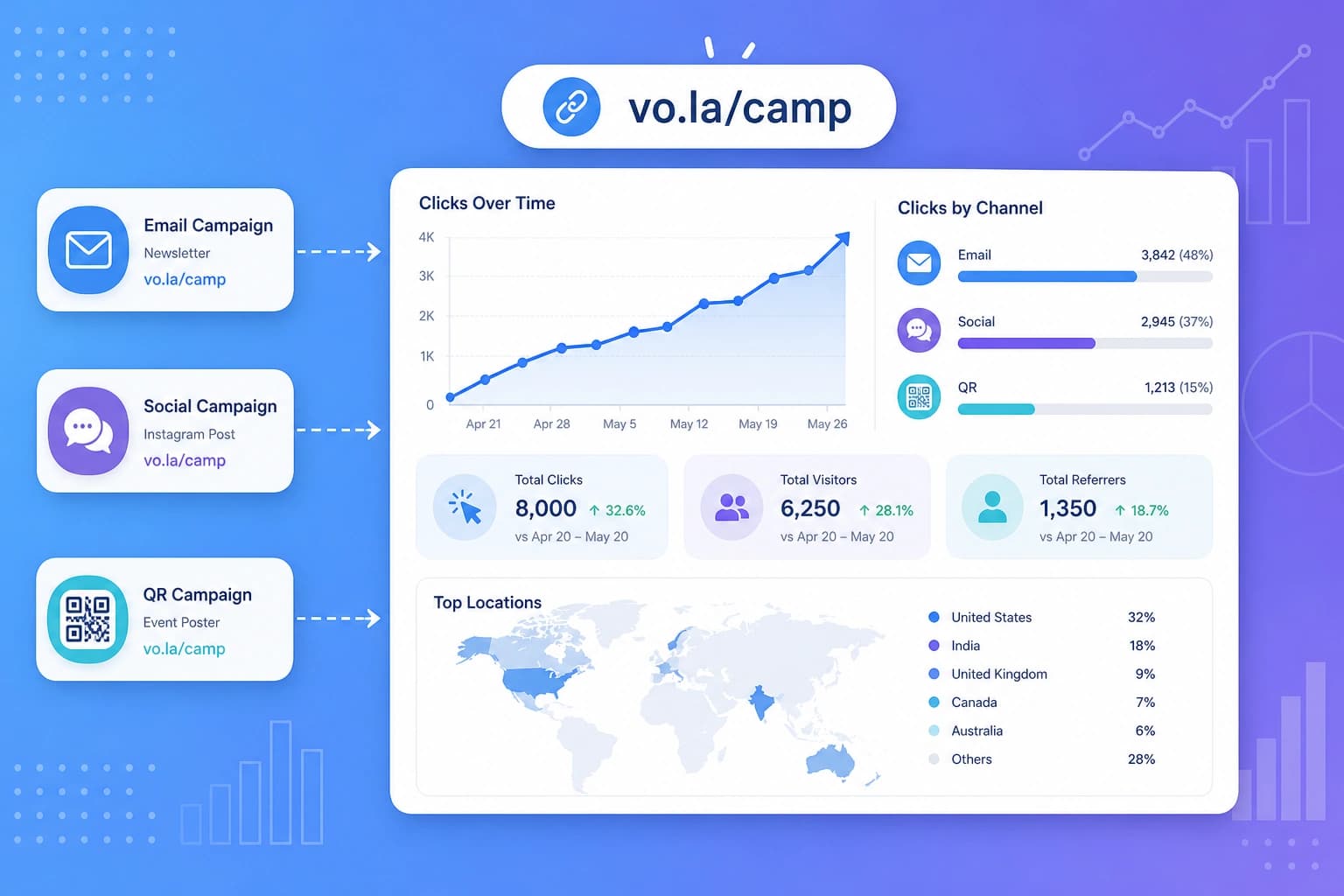
One of the most important metrics is how clicks change over time. When you launch a campaign, you usually see a big spike in clicks on the first day. After that, the clicks will slowly drop off. By looking at a timeline of your clicks, you can see how long your campaign stays active. For example, a social media post might get clicks for only a few hours, while an email newsletter might get clicks for several days. This helps you plan when to post your next update.

Comparing channels

Most campaigns run across multiple channels at the same time. You might post on Facebook, send an email, and print a flyer. To know which channel is the best, you need to use a different short link for each one. When you look at your analytics, you can compare the clicks from your Facebook link, your email link, and your flyer link. If the email link gets ten times more clicks than the Facebook link, you know that your email audience is much more engaged.

Measuring referrer performance

A referrer is the website or app where the person clicked your link. Even if you share a link on one platform, people might copy it and share it somewhere else. Referrer analytics show you exactly where your traffic is coming from. You might find that a link you posted on Twitter is actually getting a lot of clicks from a forum or a private messaging app. This helps you discover new audiences you did not know you had.

Understanding country and device data

Knowing who clicks your links is just as important as knowing how many people click. Link analytics can show you which countries your visitors are in and what devices they use. If you are a local business, you want to see clicks from your own city or country. If you see a lot of clicks from mobile phones, you need to make sure your website looks great on a small screen. This data helps you tailor your future campaigns to your actual audience.

Using QR codes in campaigns

Not all campaigns happen online. If you have a physical store, attend events, or print flyers, you need a way to track offline engagement. QR codes are the perfect solution for this. You can take any short link and turn it into a QR code. When someone scans the code with their phone, it counts as a click. This bridges the gap between the physical world and your digital analytics, letting you measure the success of your printed materials.

Exporting campaign data

Sometimes you need to look at your data outside of your link shortener dashboard. You might want to combine it with your sales data or share a report with your team. A good link shortener lets you export your click history as a CSV file. You can open this file in a spreadsheet program like Excel or Google Sheets. From there, you can create custom charts, run deeper analysis, and build reports for your business. Here are a few ways different campaigns use short links to measure success.

Social media campaigns

A business posts a new product on three different social platforms. They use a unique short link for each platform. At the end of the week, they check their analytics to see which platform drove the most traffic to the product page.

Newsletter campaigns

A creator sends a weekly email with several links to different articles. By using short links, they can see which article got the most clicks. This tells them what topics their readers care about the most.

Event campaigns

A company prints a banner for a trade show. They include a QR code that points to a short link. After the event, they can see exactly how many people scanned the banner, proving the value of their booth space.

Affiliate campaigns

An influencer shares a link to a product they recommend. They use a short link to track how many of their followers click through to the store. This helps them negotiate better deals with the brand in the future.

How Viso.li helps track campaign performance

Viso.li is built to make campaign measurement simple for creators, marketers, and small businesses. It gives you everything you need to understand your traffic without complicated setups. With Viso.li, you can create clean short links in seconds. Every link comes with a detailed analytics dashboard. You can track visits, see where your traffic comes from, and understand your audience by country and device. Viso.li also includes unlimited QR codes on all plans and lets you export your data to a CSV file whenever you need it. It is the perfect tool to help you stop guessing and start measuring.

Share this article

Viso.li

Track every link you share

Create branded short links, measure click performance, and understand which campaigns drive traffic—without enterprise complexity.

Frequently asked questions